
Turning Location Services on for your Camera, with privacy in mind
Have you ever stumbled across an old photo and wondered, “Where was this taken?”
You know the one, maybe a beach, a mountain, a charming downtown, or a park you loved, but the details are fuzzy.

Pescadero Point and Hill Preserve…I know this because…Location Services!
Turning location services on for your camera is one of the simplest ways to tag and future-proof your photo memories. It’s like writing on the backs of your photos.
When location services are enabled on your smartphone, your phone quietly adds location metadata (called GPS data) to your photos. Years from now, you won’t have to guess, you’ll know exactly where that photo was taken.
Let’s talk about why this matters, how to manage privacy wisely, and how to turn it on.
The Big Benefit: Your Photos Tell a Fuller Story
When location data is enabled:
Your photos are tagged with the city, park, venue, or even exact spot where they were taken
Photo apps can automatically organize pictures by location (hello, easy albums!)
You don’t have to rely on memory years later…the details are built in
Travel photos become instantly more meaningful and searchable
As a photo organizer, I’ve found this information to be invaluable for my clients. It’s an amazing tool that is easy, available, can be turned on and off if needed, and incredibly helpful for long-term organization.
What About Privacy Concerns?
This is a smart and important question, and the good news is, you’re in control.
In my experience, when location services are turned off, it’s usually because someone doesn’t realize it, or they’re worried about being tracked. The good news is that smartphones have evolved a lot since the early days of location services. Privacy settings have been redesigned to give you more control, letting you decide which apps can use your location and how much information is shared.
Here’s what to know:
Location data is stored with the photo, not publicly shared by default
You can remove location data from photos before sharing them
Most phones and apps automatically strip location info when posting to social media
You can turn location services off anytime, even temporarily
Extra Privacy Tips…
Use “While Using the App” instead of “Always”
Review photo details before sharing sensitive images
Location data is there to provide useful context. If you feel uneasy about privacy or access, make the decision that is right for you.
To Turn Location Services ON for Your Camera
On an iPhone
Open Settings
Scroll down and tap Privacy & Security
Tap Location Services
Make sure Location Services is turned ON
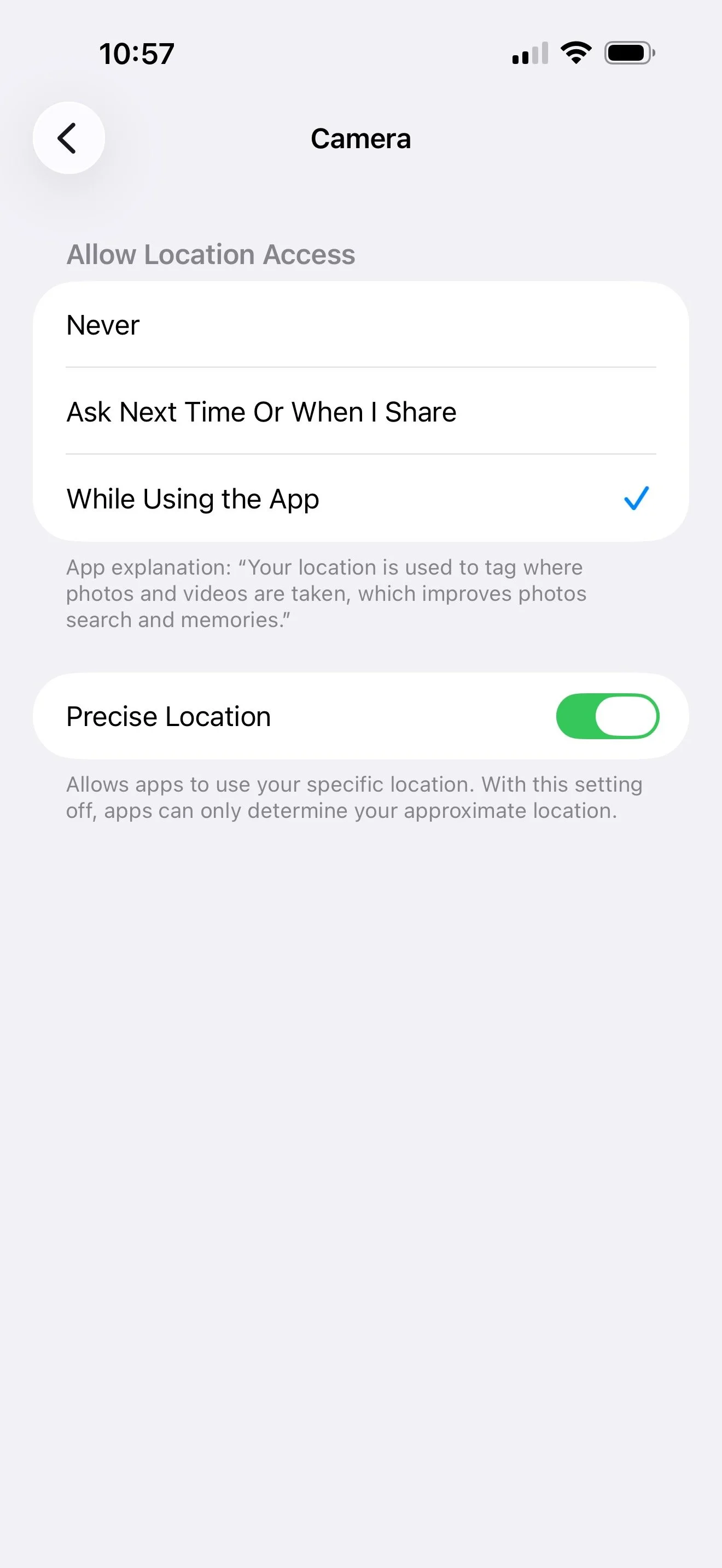
Scroll down and tap Camera
Select While Using the App
(Optional but recommended) Turn on Precise Location
On an Android Phone (Steps may vary slightly by device manufacturer)
Open Settings
Tap Location
Make sure Location is turned ON
Go back to Settings and tap Apps
Find and tap Camera
Tap Permissions
Allow Location (choose Allow only while using the app)
A Small Setting That Makes a Big Difference
Years from now, when you’re organizing your photos or reminiscing with family, location data can be the clue that brings a memory fully back to life. Your future self (and your photo collection) will thank you.
Overwhelmed with the thought of finding photos for a project? Getting started organizing your photos can be the hardest part! Grab our FREE GETTING STARTED GUIDE that includes tips for how to create a plan, how to take inventory of your collection, and provides the form to do it.

Holly Corbid is the Founder/Owner of Capture Your Photos, where we help you to organize, preserve, and share your lifetime of memories. Helping you touch hearts with your photos is our passion. We specialize in digital photo organization and work remotely with clients all over the country.
Looking for a DIY solution? Check out our series of online courses, The Photo Organizing Blueprint.
Find us at www.captureyourphotos.com or contact us here.